How often do you take it?
NEXT REMINDERS
8:00 AM2:00 PM8:00 PM
Any medicine, any schedule
No 2‑medicine cap. Tablets, capsules, liquids, inhalers, drops, injections and patches, on whatever rhythm your doctor gave you.
 Free medication reminder for iPhone and Android
A full-screen alarm you cannot sleep through, for your medicines and for the family you look after. Set up in about a minute, with nothing to type.
WHO IT’S FOR
HERE’S YOUR MEDICINE
8:00 AM
+ 1m late
Try it: tap Take all
A DAY WITH MEDICOSE
One phone, two people, every dose accounted for. This is what Medicose does on an ordinary day.
Full screen, through silent, and it keeps coming back until somebody answers.
Take all at once, or answer them one by one. Today keeps the count.
Her reminders ring on your phone, with her name on them.
Medicose counts down with every dose and warns you while there is time to reach the pharmacy.
Every medicine and how many doses were taken, as a PDF on WhatsApp or by email.
THE ALARM
Not a quiet badge in the notification tray. It opens full screen, shows how late the dose is, and keeps coming back until somebody answers.
On iPhone with iOS 26 or newer, Medicose rings as a real Apple alarm with a Taken button, right through silent mode.
Set your first alarm, freePEOPLE YOU LOOK AFTER
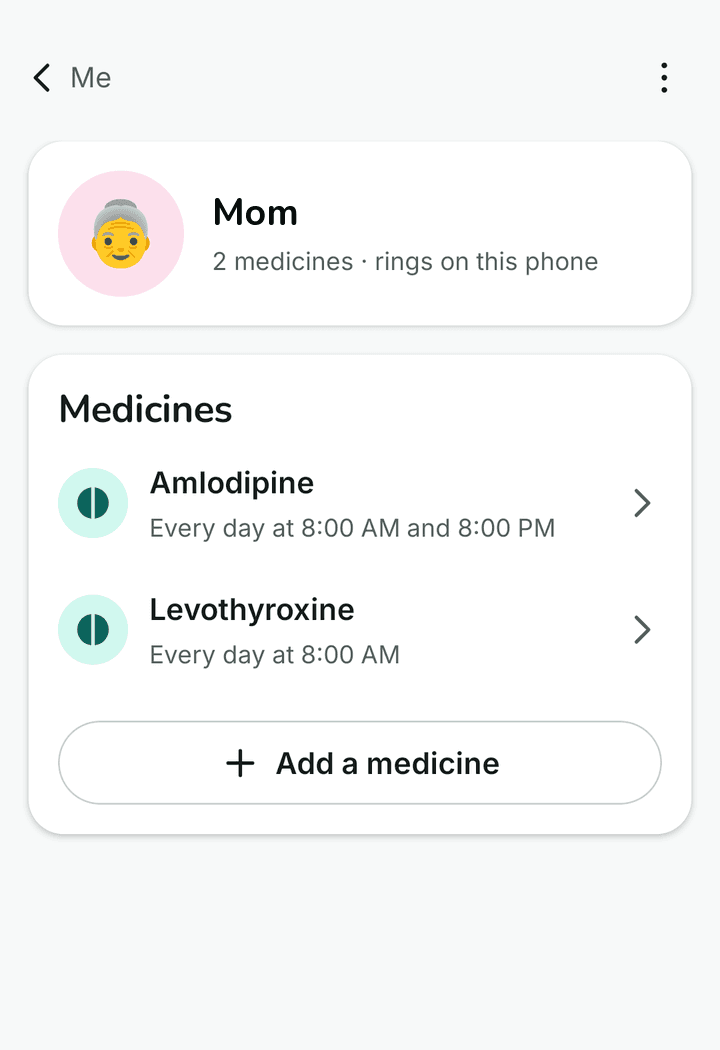
Add a parent or a child: a name, a picture, then their medicines. They need no phone and no account. Their reminders ring on your phone, with their name on them.
Works best for someone you live with or visit often, because their alarms ring on your phone.
EVERYTHING ELSE
Try them right here. Every screen uses big text and big buttons, and follows your phone’s text size.
How often do you take it?
NEXT REMINDERS
No 2‑medicine cap. Tablets, capsules, liquids, inhalers, drops, injections and patches, on whatever rhythm your doctor gave you.
Tablets left
Taken a day
Tell it how many you have. It counts down with every dose and warns you when 7 are left, or at whatever number you choose.
Last two weeks
3-day streakMon 26 Oct4 of 4 taken
A calendar of how much you took each day, a streak to keep going, and a count for every medicine. Tap a day to see it.
Pick where to send it.
The last 30 days as a PDF: each medicine and how many doses were taken. It leaves your phone only through the app you pick.
HOW IT WORKS
The real first-run screens from the Android app. Let it play, or tap any step.
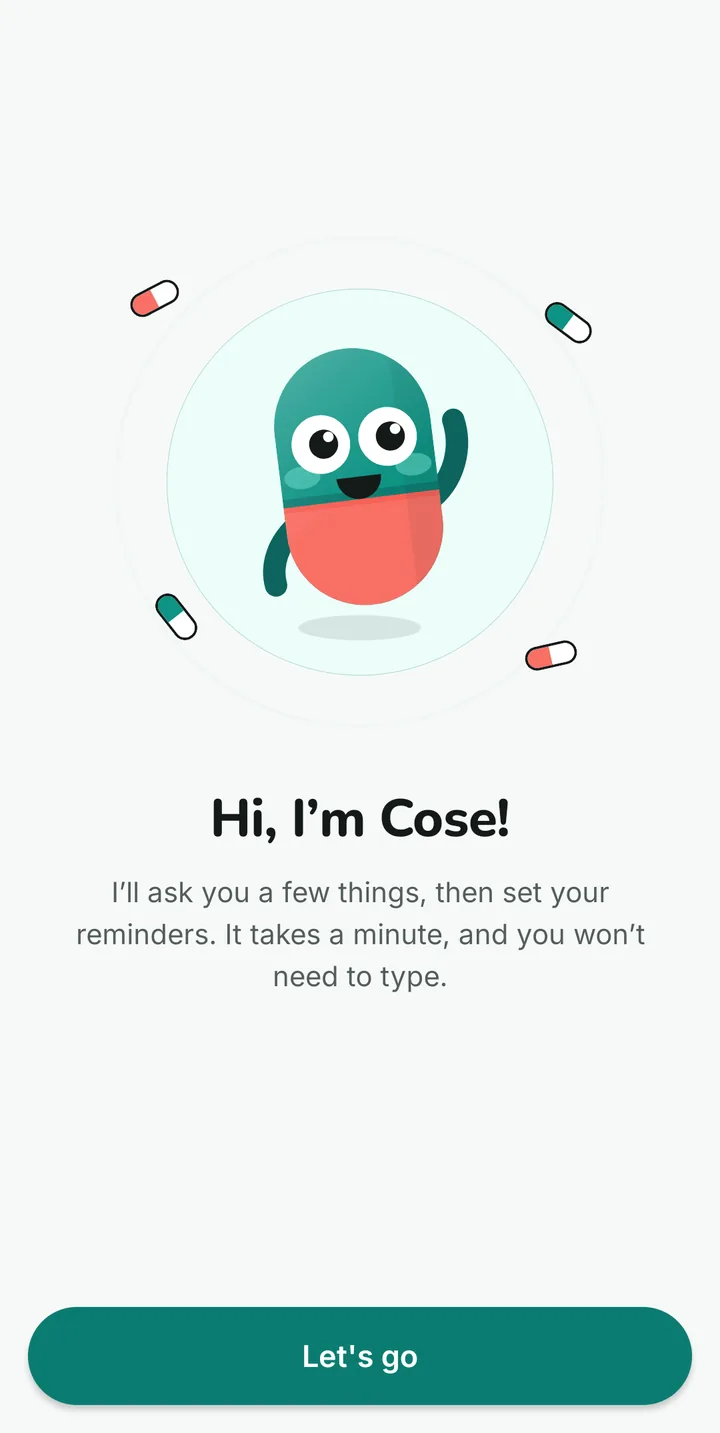
Step 1 of 6
No sign-up, no email, no password. Cose asks a few questions, then sets your reminders.
No account needed
No sign-up, no email, no password. Cose asks a few questions, then sets your reminders.
No account needed
FROM THE BLOG
Plain-language reading on medicines, routines and caring for family, from the Medicose team.

When the condition you're treating makes routines hard, ordinary reminders fail. Nine practical strategies for remembering ADHD medication, and what to do when you forget.
4 min read
Since iOS 26, iPhone apps can ring a real alarm through silent mode. Here is how that changes medication reminders, how popular apps compare, and what to use today.
7 min read
Most Android reminder apps send a notification, and silent mode mutes it. Here is what makes an app ring like an alarm, how five apps compare, and how to test yours.
6 min read
FAQ
Yes. Every feature is free: unlimited medicines, the full-screen alarm, refill reminders, reminders for the people you look after, and the PDF report. No premium tier, no ads, and we never sell your data.
iPhone, and Android phones and tablets. On iPhone with iOS 26 or newer it rings as a real alarm with a Taken button; older iPhones get time-sensitive notifications.
No. Answer a few questions about when you take your medicines and your reminders are set. There is nothing to sign up for.
Yes. On Android it rings through silent and Do Not Disturb, and opens over a locked phone. On iPhone with iOS 26 or newer it rings as a real alarm through silent mode. On Android you can also choose Quiet and answer from the notification.
Some Android phones close apps to save battery. Medicose checks your phone’s settings and shows the fix for each one, in Settings, under Your alarms. On iPhone, the same screen warns you if the app is hidden or locked with Face ID, which stops alarms.
Yes. Add them from the Me tab: a name, a picture, then their medicines. Their reminders ring on your phone with their name on them, so it works best for someone you live with or visit often.
Yes. Share report turns the last 30 days into a PDF, each medicine and how many doses were taken, and hands it to WhatsApp, email or Drive.
Your data is used only to power your reminders. We don’t sell it and we don’t use it for advertising.
No premium tier, no 2‑medicine cap, no ads, no sign-up.