Medication Reminder Apps: How to Choose One That Actually Works (2026)
How to choose a medication reminder app in 2026: a 9-point checklist, six popular apps compared side by side, and a 5-minute setup that tests the alarm on silent.
Quick answer: Medication reminder apps alert you when a dose is due and record whether you took it. The best ones use a real alarm that rings on silent and handle any schedule. They also warn you before you run out and let family help. Many are free, but check for a cap on how many medicines you can add.
Disclosure: Medicose publishes this guide and makes the Medicose app. We compare it with other apps using their official websites, help centers and store listings. We checked every fact in November 2026.
A medication reminder app is the simplest fix for doses missed because you forgot. A good one rings on time, keeps ringing until you answer, and keeps a record for your doctor.
This guide shows you how to choose one. You get a 9-point checklist, a comparison of six popular apps, and a 5-minute setup plan.
It is written for people in the U.S. who take their own medicines. It is also for anyone who helps a parent or child with theirs.
Key takeaways
- A reminder only works if you notice it. Test any app with your phone on silent before you trust it.
- Notifications are easy to swipe away. Full-screen alarms and repeat reminders are harder to miss.
- "Free" varies. Medisafe lists unlimited medications as a Premium feature. EveryDose puts refill reminders in its paid plan.
- On iPhone, Apple Health’s Medications feature can play Critical Alerts, but you must turn them on.
- If you care for someone, look for profiles that show whose medicine is due.
What is a medication reminder app?
A medication reminder app is a phone app that alerts you when a dose is due. It records each dose as taken, skipped or late. People also call it a pill reminder app or a medication tracker.
Most apps do three jobs: they remind you, keep a history and help you plan refills. Some add family profiles, drug interaction checks and reports for your doctor.
How an app differs from a phone alarm or a pill organizer
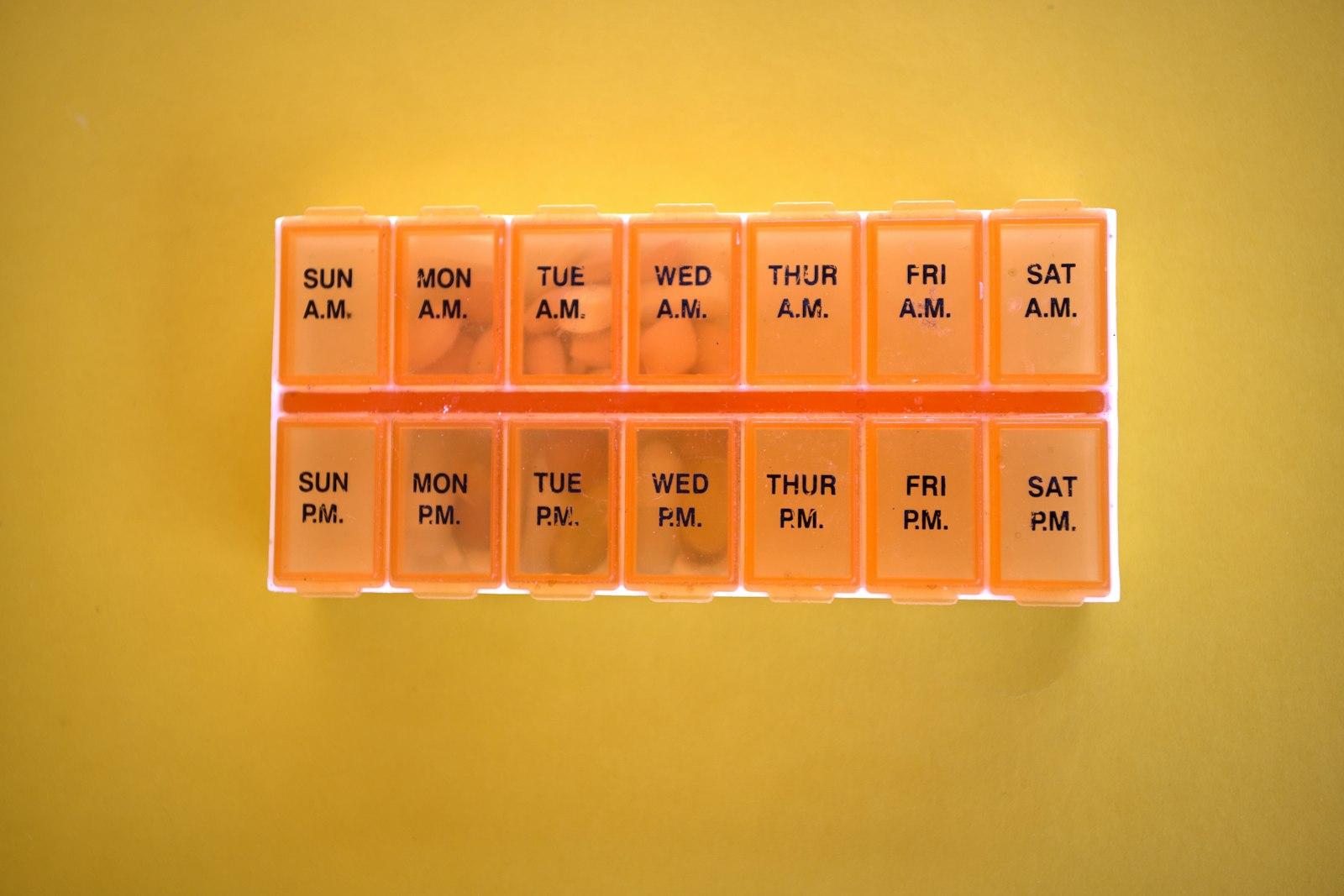
A phone alarm rings, but it does not know which medicine is due or whether you took it. A weekly pill organizer shows what you took, but it cannot make a sound.
An app for pill reminders does both. It names the medicine, asks you to confirm, and saves the record. You can still keep your organizer and use the app alongside it.
Medicose is a free medication reminder app built on this idea, pairing a loud alarm with a one-tap answer.
Why medication reminders matter: what the research shows
Missed and mistimed doses are common in the U.S. These figures come from federal and independent research sources.
- About 1 in 5 new prescriptions are never filled. Of those filled, about 50% are taken incorrectly, including at the wrong time or dose. (CDC, MMWR, 2017)
- Nonadherence costs an estimated $100 billion to $300 billion in direct U.S. health care spending each year. (CDC, MMWR, 2017)
- In 2015 to 2016, 45.8% of people in the U.S. used a prescription drug in the past 30 days. Among adults aged 60 and over, it was 85.0%. (CDC National Center for Health Statistics, 2019)
- In late 2025, 12% of U.S. adults said they currently take a GLP-1 drug such as Ozempic or Wegovy. Use was highest at ages 50 to 64, at 22%. (KFF, November 2025)
Not every missed dose comes from forgetting. Cost, side effects and confusing instructions all play a part. A reminder app solves one piece: the right medicine at the right time.
Weekly injections show why that piece matters. A weekly dose has no daily habit to lean on, so a reminder on the right day helps.
Why most medication reminders fail: notifications vs. alarms
Most missed reminders are not a broken app. They are a notification that never made a sound, or one that was swiped away.
Notifications are easy to dismiss
A notification is a small banner, so you may never see it if your phone is face down. Once you dismiss it, many apps never ask again.
An alarm works differently, because it fills the screen and keeps sounding until you answer it.
Silent mode, Focus and Do Not Disturb
Silent mode and Focus modes mute most notifications, including many medication reminders.
Apple Health’s Medications feature offers Critical Alerts, which you switch on for each medicine. According to Apple Support, they play a sound even when the iPhone is muted or a Focus is on.
For a step-by-step fix, read our guide to a medication reminder that rings on silent.
Battery savers on Android
Android saves battery by pausing apps in the background. Its Doze mode delays standard alarms until a later window, according to Android’s developer documentation. Alarms set as alarm-clock alarms still fire on time.
Some phone makers add their own battery limits on top. If an app’s reminders arrive late, check its battery setting first.
Medicose sets each dose as an alarm-clock alarm. It also checks your phone’s battery settings and shows the fix in Settings, under Your alarms.
What changed on iPhone with iOS 26
Before iOS 26, most third-party reminder apps relied on notifications. Apple’s AlarmKit, available from iOS 26, lets apps schedule real alarms. Apple’s documentation says such an alarm "overrides both a device’s focus and silent mode, if necessary."
The app has to ask for your permission first. If you say no, its alarms will not be scheduled.
Who benefits most from a pill reminder app?
Anyone can use one, but these five groups tend to get the most out of it.
- People taking several medicines. More medicines mean more times to track. See how to organize 5 or more daily medications.
- Caregivers. Adult children and parents who manage someone else’s doses. Start with how to remind elderly parents to take medicine and our guide to medication reminders for dementia.
- People on complex schedules. Three times a day, every 8 hours, or on-and-off cycles. See our medication schedule for 3 times a day.
- People on weekly injections. A once-a-week GLP-1 dose has no daily routine to anchor it.
- Anyone whose routine changes. Shift work, travel and attention difficulties such as ADHD make memory less reliable. Our guide on how to remember to take medication covers habits that pair well with an app.
9 features to look for in a medication reminder app
Use this checklist when you compare apps, since each point has a quick test for your first day.
1. An alert that rings on silent
A reminder you cannot hear is not a reminder. Test it: set a reminder two minutes ahead, switch the phone to silent, lock it and wait.
2. Reminders that repeat until you answer
One alert is easy to miss in the shower or on a call, so look for repeat alerts.
Apple Health, for example, can send a follow-up if a dose is not logged 30 minutes after its time. Test it: ignore the first alert and see what happens next.
3. Any schedule your prescriber gives you
Check for daily doses, specific days, every few hours, cycles and as-needed doses. Also check the forms it supports, such as liquids, inhalers, drops, injections and patches.
Test it: enter your hardest schedule first, not your easiest.
4. One-tap answers: taken, skipped or snoozed
Answering should take one tap, and a "take all" option saves time when several medicines are due.
Snooze helps when you are driving or away from your pills. Rescheduling helps when a whole dose needs to move.
5. Help for family and caregivers
Some apps let you add a family member’s medicines to your own phone, so their reminders ring for you. Others alert a second person when a dose is missed on their phone.
If your parent lives with you, the first type is often enough. If they live elsewhere, look for missed-dose alerts. Our guide to caring for a parent’s medications from another city covers that case.
6. Refill warnings
The app should count down your supply as you take doses. It should warn you while there is still time to reach the pharmacy.
Check it: see whether refill reminders are free or part of a paid plan.
7. History and a report for your doctor
A record of taken and missed doses helps at appointments. Look for a calendar view and a report you can share, such as a PDF.
8. Easy setup and readable screens
Count how long it takes to add your first medicine. Large text and big buttons matter for older adults and anyone with poor eyesight.
Check it: turn up your phone’s text size and see whether the app follows it.
9. A clear price and a clear privacy policy
Look for "In-App Purchases" on the store listing. Then add your full medicine list on day one, so any cap shows up early.
Also check whether the app needs an account, shows ads, or shares data.
Here is the whole checklist at a glance, with a quick way to check each point:
| Feature | What good looks like | How to check |
|---|---|---|
| Rings on silent | Full-screen alarm or Critical Alert | Silent test, phone locked |
| Repeats | Comes back until you answer | Ignore the first alert |
| Any schedule | Days, hours, cycles, as needed | Enter your hardest schedule |
| One-tap answers | Taken, skip, snooze from the alert | Answer without opening the app |
| Family help | Profiles or missed-dose alerts | Add one family member |
| Refill warnings | Counts down with each dose | Enter your current supply |
| Doctor report | Calendar plus a shareable PDF | Export a test report |
| Readable | Large text, big buttons | Raise your phone’s text size |
| Clear price and privacy | No surprise cap, no data sales | Read the store listing and policy |
Best medication reminder apps compared (2026)
Here is how six popular medication reminder apps compare on the points above. We checked each app’s official website, help center or app store listing in November 2026.
Medicose is our app, and it is listed first because this is our guide, not because we ranked it. Where a source does not mention a feature, the table says "Not listed" instead of guessing.
| App | Cost (U.S.) | Platforms | Alert style | Family help | Refill alerts | Doctor report | Interaction check |
|---|---|---|---|---|---|---|---|
| Medicose | Free, every feature, no ads | Android; iPhone coming soon | Full-screen alarm through silent and Do Not Disturb (Android) | Add a parent or child; their alarms ring on your phone | Yes, free | 30-day PDF | No |
| Medisafe | Free version; Premium $4.99/mo or $39.99/yr | iPhone, Apple Watch, Android | Reminders, even when the device is asleep | Medfriend is notified of missed doses; family profiles | Yes | PDF report | Yes |
| MyTherapy | Free to use; Google Play lists ads and in-app purchases | iPhone, Android | Medication reminders | Family profiles in one account | Yes | Report shared by one-time code | Not listed |
| Pillo | Free core; optional paid plan | Android; iPhone in beta | Reminds you until you take it | Caregiver SMS alerts; family profiles | Yes | Adherence report | Yes |
| EveryDose | Free; Plus $9.99/mo or $69.99/yr | iPhone, Android | Notifications, adjustable frequency | Progress emails; 5 extra profiles with Plus | With Plus | Progress reports | Yes |
| Apple Health Medications | Built into iPhone | iPhone, iPad, Apple Watch | Notifications; optional follow-ups and Critical Alerts | Share your list via Health sharing | Not listed | PDF of your medication list | Yes (U.S. only) |
Prices and features change, so check each store listing again before you install an app.
Medicose
Medicose is free with every feature, no ads and no sign-up. On Android, its full-screen alarm rings through silent and Do Not Disturb. It keeps coming back until someone answers.
You can add a parent or child, and their reminders ring on your phone with their name. It counts down your supply and sends a 30-day PDF report. It does not check drug interactions, and the iPhone app is not out yet.
Medisafe
Medisafe offers refill reminders, drug interaction alerts and PDF reports, according to its App Store listing. Its Medfriend feature notifies a family member if you miss a dose.
Premium costs $4.99 a month or $39.99 a year. It includes unlimited medications, Medfriends and dependents. Since January 1, 2026, users outside the U.S. need a subscription. U.S. users still have a free version, so check its limits in the app.
MyTherapy
MyTherapy says it is free and will stay free. Partners such as pharmaceutical companies and health institutes fund it. MyTherapy says it never hands your personal data to them. Its Google Play listing shows ads and in-app purchases.
It reminds you about medicines, measurements and appointments, and tracks symptoms. You can share a report with your doctor using a one-time code.
Pillo
Pillo’s core features are free, with an optional paid plan for extras. Its reminders keep going until you take your medicine, and it offers caregiver SMS alerts for missed doses.
It also checks drug interactions and tracks refills. It is on Google Play, and the iPhone version is in a TestFlight beta.
EveryDose
EveryDose’s free app covers reminders, a medication list, drug interaction alerts and progress emails to friends. EveryDose Plus adds refill reminders, a health journal and up to 5 extra profiles.
Plus costs $9.99 a month or $69.99 a year on the App Store.
Apple Health Medications
Apple Health’s Medications feature is built into iPhone. It reminds you to log doses, can follow up after 30 minutes, and offers Critical Alerts for each medicine.
In the U.S., it can show drug interactions and identify medicines with the camera. You can share it through Health sharing or export a PDF, but it does not run on Android.
Medication reminder app for iPhone vs. Android: what’s different?
The basics are the same on both phones, and the difference is how loudly an app may interrupt you.
On Android
- Apps can show a full-screen alarm over the lock screen, like the clock app does.
- Battery savers can delay reminders. Check each app’s battery setting after you install it.
- Every third-party app in our table has an Android version. Apple Health does not.
On iPhone
- Apple Health’s Medications feature is free and built in. Turn on Follow Up Reminders and Critical Alerts under Health, Browse, Medications, Options.
- From iOS 26, apps can use AlarmKit for real alarms that break through silent mode and Focus.
- The Medicose iPhone app is coming soon to the App Store. On iOS 26 or newer, it will ring as a real Apple alarm with a Taken button.
Free vs. paid medication reminder apps: what "free" really means
Free can mean free forever, free with limits, or free for a trial. Here is how the apps above fit.
- Free with no paid tier. Medicose says every feature is free, with no ads.
- Free, with ads or in-app purchases. MyTherapy says it is free to use, and its Google Play listing shows ads and in-app purchases.
- Free with a paid upgrade. Medisafe (in the U.S.), EveryDose and Pillo sell paid plans for extra features.
- Trial, then paid. Outside the U.S., Medisafe now gives a 14-day trial, then requires a subscription.
- Built in. Apple Health’s Medications feature comes with the iPhone.
Before you commit to any app, run these five quick checks during your first day:
- Look for "In-App Purchases" on the App Store or Google Play listing.
- Add every medicine you take on day one.
- Add a family member if you plan to help someone.
- Note any ads, and whether you had to create an account.
- Read the privacy policy’s section on sharing data.
Alternatives to a medication reminder app
An app is not the only option, and many people pair one with a simple physical system.
| Option | Good for | Limits |
|---|---|---|
| Weekly pill organizer | Seeing at a glance whether a dose was taken | Makes no sound; needs refilling each week |
| Smart speaker | Spoken reminders at home | Only works where the speaker is |
| Paper chart or printed list | A backup record and a list for appointments | No alert; easy to forget to fill in |
| Phone clock alarm | A free, loud alert | Does not name the medicine or keep a record |
| Locked automatic dispenser | People at risk of taking a dose twice | Costs more; needs setup and refilling |
For many people, the best setup is an organizer plus an app. The organizer holds the pills, and the app makes sure you open it. See how to organize 5 or more daily medications.
How to set up a medication reminder app in 5 minutes
These steps work with most apps and take about five minutes for a short medicine list.
- Gather your medicines. Have the bottles, boxes or your pharmacy list in front of you.
- Install the app and allow alerts. Say yes to notifications. On Android, also allow alarms and full-screen alerts.
- Add each medicine exactly as prescribed. Copy the dose and times from the label. If anything is unclear, ask your pharmacist.
- Run a silent test. Set a test reminder two minutes ahead, mute the phone, lock it and wait.
- Fix what failed. On Android, check the app’s battery setting. In Apple Health, turn on Critical Alerts.
- Add your supply. Enter how many pills you have, so the app can warn you before you run out.
- Add family if you help someone. Create their profile, so each alert says whose medicine it is.
Try Medicose free on Android. Free, every feature, with no ads and no sign-up. A full-screen alarm that rings through silent, reminders for your family, and refill warnings. Get Medicose on Google Play. iPhone: coming soon to the App Store.
Safety and privacy checklist
A reminder app supports your treatment, but it does not replace advice from your doctor or pharmacist.
Safety
- Follow the label and your prescriber’s schedule, not the app’s default times.
- If you miss a dose, check the leaflet or ask a pharmacist before taking it late. Read what to do if you miss a dose.
- Do not stop or change a medicine because of an app alert. Ask your doctor or pharmacist first.
- Keep an up-to-date medicine list for appointments and emergencies.
Privacy
- The FTC notes that, unlike your doctor, health apps may not be covered by HIPAA.
- Read what the app collects, and whether it sells or shares your data.
- Check whether you need an account, and what that account stores.
- Medicose says it never sells your data. Read our privacy policy and consumer health data policy.
The bottom line
The right medication reminder app is the one you will hear and answer. Start with the alarm, then check schedules, family help, refills and price.
Test any app on silent during your first day, and if it passes, add your full list and supply.
If you use Android and want a free app with no sign-up, try Medicose on Google Play. For more guides, visit the Medicose blog.
This guide is general information, not medical advice. Your doctor or pharmacist knows your medicines and your health, so ask them before you change how you take anything.
Frequently asked questions
Is there a completely free medication reminder app?
Yes, and some apps have no paid tier at all. Medicose says every feature is free, with no ads and no cap on medicines. MyTherapy says it is free to use, though its Google Play listing shows ads and in-app purchases. Apple Health’s Medications feature comes built into iPhone. Medisafe and EveryDose keep some features for paid plans, so check the store listing for in-app purchases.
Do medication reminder apps work when my phone is on silent?
It depends on the app and the phone, because standard notifications are muted on silent. Full-screen alarms on Android can still sound. So can Critical Alerts in Apple Health and alarms built with Apple’s AlarmKit on iOS 26 and later. Always test an app with your phone on silent before you rely on it.
What is the best medication reminder app for seniors?
The best app for an older adult is one they can hear and use. Look for a loud alarm that repeats, large text, big buttons and a short setup. If a family member helps, choose an app with family profiles or missed-dose alerts. Try the app together for a day before relying on it.
Can Apple Health remind me to take my medication?
Yes, the Medications feature in the Health app on iPhone reminds you to log each scheduled dose. You can turn on Follow Up Reminders, sent if a dose is not logged 30 minutes after its time. You can also turn on Critical Alerts, which sound even when the iPhone is muted.
Is Medisafe still free?
In the U.S., Medisafe still has a free version. Premium adds unlimited medications, Medfriends and dependents, and costs $4.99 a month or $39.99 a year. Since January 1, 2026, users outside the U.S. need a subscription after a 14-day trial. Both points come from Medisafe’s own help center.
Can I manage my parent’s medications from my phone?
Yes, and there are two ways. Some apps let you add another person’s medicines to your own phone, so their reminders ring for you. Medicose and EveryDose Plus work this way. Other apps alert you when someone misses a dose on their own phone. Medisafe’s Medfriend and Pillo’s caregiver alerts work this way. Choose based on whether you live together.
Can Alexa remind me to take my pills?
Yes, a smart speaker can speak a reminder at a set time. The catch is that it only works where the speaker is. It cannot follow you out of the house. A basic spoken reminder also does not record whether you took the dose. Many people use a speaker as a backup to a phone app.
Are medication reminder apps private?
Not all apps treat your data the same way. The FTC notes that, unlike your doctor, health apps may not be covered by health privacy laws like HIPAA. Before you install one, check whether it needs an account, shows ads, or sells or shares data. Medicose says it never sells your data.
Get Medicose free
Never miss a dose, yours or your family’s. Free for patients and caregivers.
Free on Android. No credit card. No ads. Ever.